
CU there!3.9 - App Store
You'll be able to see results in few seconds.
Publisher Description

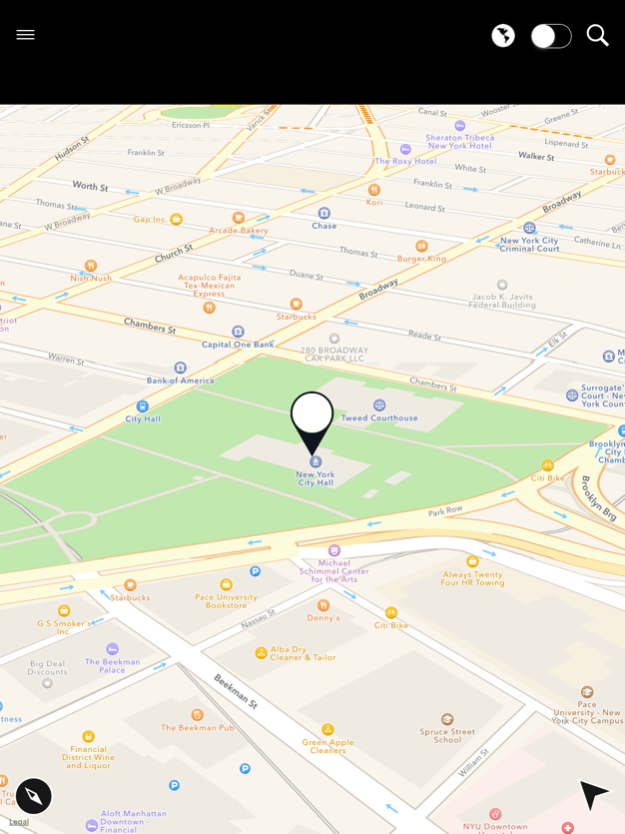


Send any location by SMS
Other means of map location sharing:
- SMS
- Email
- Facebook Messanger
- Facebook Post
- Whats App
- Twitter
- Send to your desktop Mac
- Copy link (in order to use anywhere else)
- Send a cab to pick them up!
CU there! is a useful utility for sending your current position or any other location to your friends, family or colleagues NO MATTER what type of device they own.
Unique features including:
- The first application to send your location directly through SMS.
- Delta span algorithm for precise depiction of map shown -> to map received. You need to check this out.
- NO INTERNET connectivity is required by receiver if his device features a local map application.
How does it work:
CU There! handles a Google Maps link. Its universal and easy to share across any platform imaginable.
No more proprietary location format which play in certain platforms and break everywhere else,
No requirement for your receiver to have a certain app installed.
You just send a Google Maps link with every detail embedded through a universally acceptable SMS (or email).
Feeling risky? (or you know what device does you receiving contact have) You can also share the link through every platform possible (incl Facebook, Facebook Messenger, WhatsApp, Twitter etc)
Feeling restricted? Just copy the link and paste it wherever you want. Its your choice.
CU there! is the only application which allows you to send your position by SMS enabling even low end devices to handle it.
It is the only solution allowing you to share location with virtually all devices possible.
Many more features are coming! Stay tuned.
Mar 22, 2016
Version 3.9
This app has been updated by Apple to display the Apple Watch app icon.
Thank you for using CU there! To make our app better for you, we bring updates to the App Store every 2 weeks. You can update the app automatically (without checking back here) by going to Settings > iTunes & App Store > Automatic Downloads and turning on Updates. Every update of our CU there! app includes improvements for speed and reliability. As other new features become available, we'll highlight those for you in the app.
About CU there!
The company that develops CU there! is Elvyke sa. The latest version released by its developer is 3.9.
To install CU there! on your iOS device, just click the green Continue To App button above to start the installation process. The app is listed on our website since 2016-03-22 and was downloaded 0 times. We have already checked if the download link is safe, however for your own protection we recommend that you scan the downloaded app with your antivirus. Your antivirus may detect the CU there! as malware if the download link is broken.
How to install CU there! on your iOS device:
- Click on the Continue To App button on our website. This will redirect you to the App Store.
- Once the CU there! is shown in the iTunes listing of your iOS device, you can start its download and installation. Tap on the GET button to the right of the app to start downloading it.
- If you are not logged-in the iOS appstore app, you'll be prompted for your your Apple ID and/or password.
- After CU there! is downloaded, you'll see an INSTALL button to the right. Tap on it to start the actual installation of the iOS app.
- Once installation is finished you can tap on the OPEN button to start it. Its icon will also be added to your device home screen.
Program Details
System requirements
Download information
Pricing
Version History
version 3.9
posted on 2016-03-22
Mar 22, 2016
Version 3.9
This app has been updated by Apple to display the Apple Watch app icon.
Thank you for using CU there! To make our app better for you, we bring updates to the App Store every 2 weeks. You can update the app automatically (without checking back here) by going to Settings > iTunes & App Store > Automatic Downloads and turning on Updates. Every update of our CU there! app includes improvements for speed and reliability. As other new features become available, we'll highlight those for you in the app.
version 3.9
posted on 2010-09-18
Disclaimer
Official App Store Link
We do not host CU there! on our servers. We did not scan it for viruses, adware, spyware or other type of malware. This app is hosted by Apple and passed their terms and conditions to be listed there. We recommend caution when installing it.
The App Store link for CU there! is provided to you by apps112.com without any warranties, representations or guarantees of any kind, so access it at your own risk.
If you have questions regarding this particular app contact the publisher directly. For questions about the functionalities of apps112.com contact us.
